macOS service · Clock sync (macOS)
Why timed keeps your Mac awake
timed keeps the Mac’s clock right by asking a time server. It holds a NoIdleSleepAssertion named “com.apple.timed.ntp” for the moment it takes. You’ll only see it in the power log.
Checked on macOS 27.2.1 on a MacBook Pro with Apple silicon, 11 November 2026.
What you’ll see
| Type | Name | Meaning |
|---|---|---|
NoIdleSleepAssertion | com.apple.timed.ntp | Setting the clock from a time server. |
Check it on your Mac
Open Terminal (in Applications › Utilities) and run:
pmset -g log | grep timed
Real output from the Mac we checked:
2026-11-11 13:55:52 +0200 Assertions PID 448(timed) Summary NoIdleSleepAssertion "com.apple.timed.ntp" 00:00:00 id:0x0x10000a6ab [System: PrevIdle DeclUser SRPrevSleep IntPrevDisp kCPU kDisp]
Activity Monitor shows the same thing without Terminal: open its Energy tab and look at the Preventing Sleep column.
What to do
- Nothing to fix.
See it without Terminal
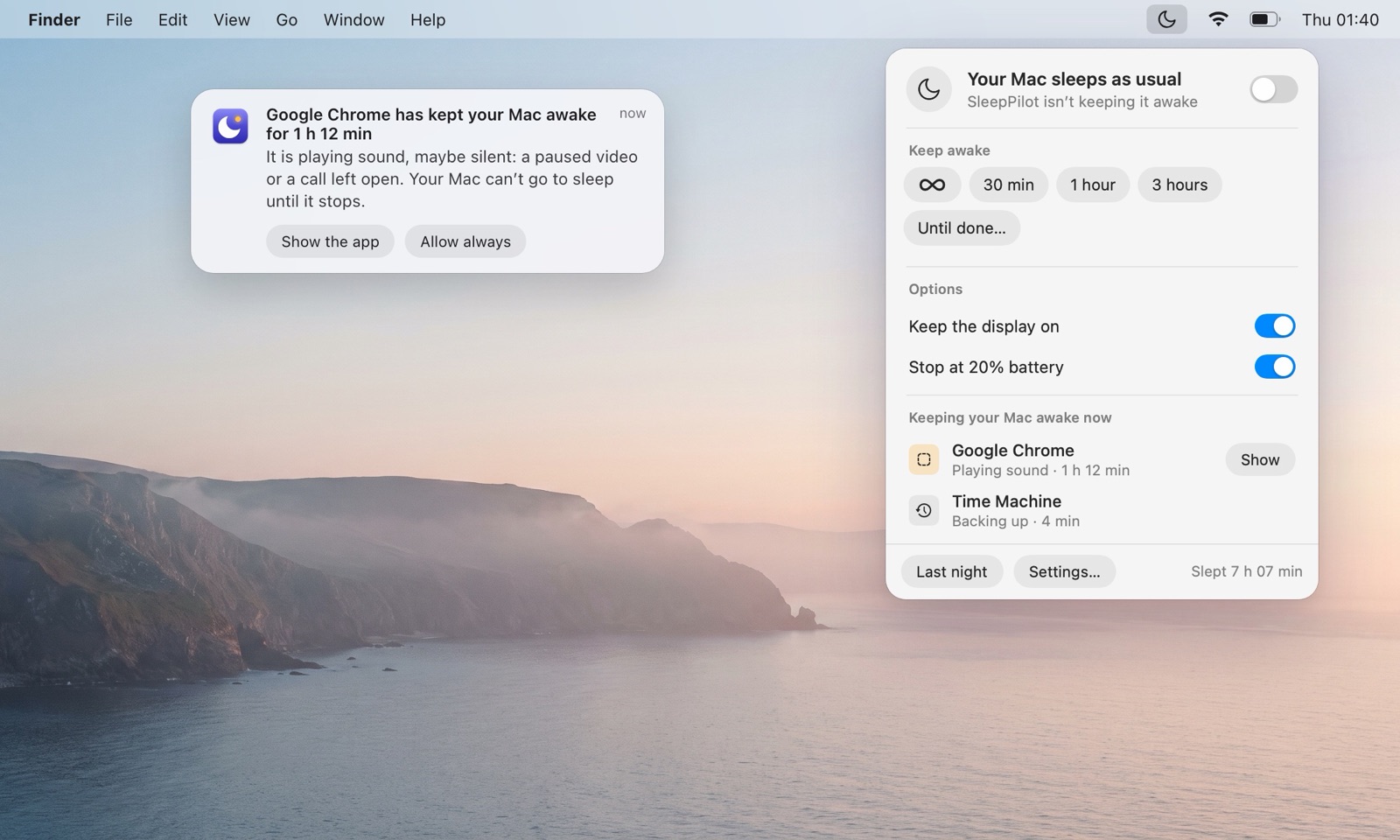
SleepPilot, a menu bar app, lists every app that is keeping your Mac awake right now by name — audio through coreaudiod is shown under the app that plays it — and warns you when one holds the Mac awake for too long while nobody is using it. Each morning it can show what kept the Mac awake overnight.
Questions
Is it safe to quit timed?
No. It’s part of macOS.
Is timed keeping my Mac awake normal?
Normal.
Does timed keep the display on?
The Mac awake for a moment.