macOS service · Sound (the macOS audio service)
Why coreaudiod keeps your Mac awake
coreaudiod is the macOS sound service. While any app plays or records audio, it holds a PreventUserIdleSystemSleep assertion, so the Mac doesn’t fall asleep in the middle of a song or a call. It does this for silence too: a paused video in a browser tab, a call app that keeps the microphone open, or a music app that never released the speakers. The line under the assertion, Created for PID, tells you which app it’s for.
Checked on macOS 27.2.1 on a MacBook Pro with Apple silicon, 11 November 2026.
What you’ll see
| Type | Name | Meaning |
|---|---|---|
PreventUserIdleSystemSleep | com.apple.audio.BuiltInSpeakerDevice.context.preventuseridlesleep | An app is sending sound to the built-in speakers. Other devices get their own name in the same place. |
PreventUserIdleSystemSleep | com.apple.audio.BuiltInMicrophoneDevice.context.preventuseridlesleep | An app is recording from the built-in microphone, for example during a call. |
Check it on your Mac
Open Terminal (in Applications › Utilities) and run:
pmset -g assertions
Real output from the Mac we checked:
   pid 615(coreaudiod): [0x000065b1000193ef] 00:00:01 PreventUserIdleSystemSleep named: "com.apple.audio.BuiltInSpeakerDevice.context.preventuseridlesleep"
	Created for PID: 53690.
	Resources: audio-out BuiltInSpeakerDevice
   pid 615(coreaudiod): [0x00005fab00019cfa] 00:25:43 PreventUserIdleSystemSleep named: "com.apple.audio.BuiltInMicrophoneDevice.context.preventuseridlesleep"
	Created for PID: 24159.
	Resources: audio-in BuiltInMicrophoneDevice
PID 53690 was afplay playing a silent file; PID 24159 was a messaging app during a call.
Activity Monitor shows the same thing without Terminal: open its Energy tab and look at the Preventing Sleep column.
What to do
- Run
pmset -g assertionsin Terminal and note the number after Created for PID. - Open Activity Monitor, choose View › All Processes, and type that number into the search field to see the app’s name. Helper processes such as “Google Chrome Helper” belong to the app in their name.
- Close the tab, end the call, or quit the app. Pausing is often not enough: some apps keep the audio stream open until the tab or window is closed.
See it without Terminal
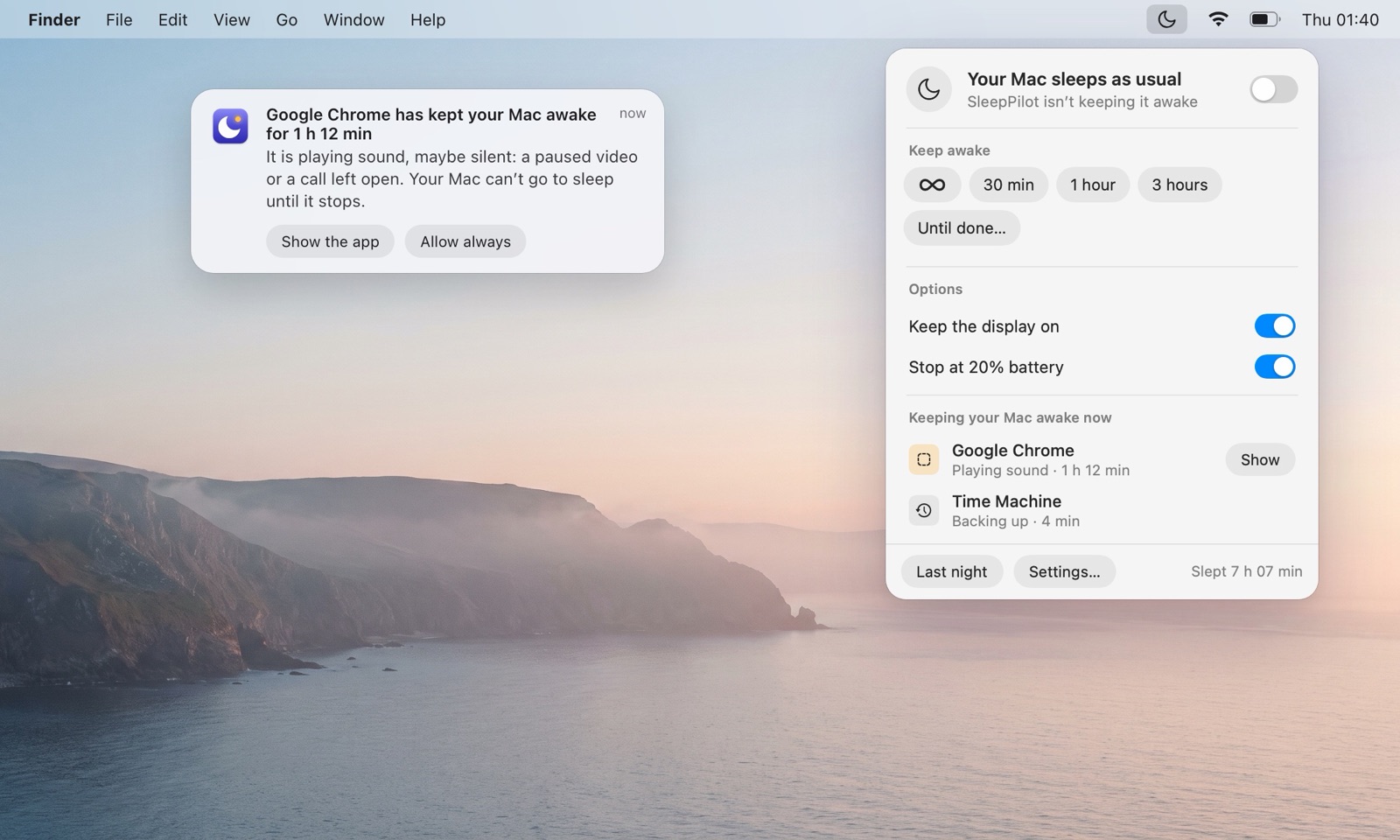
SleepPilot, a menu bar app, lists every app that is keeping your Mac awake right now by name — audio through coreaudiod is shown under the app that plays it — and warns you when one holds the Mac awake for too long while nobody is using it. Each morning it can show what kept the Mac awake overnight.
Questions
Is it safe to quit coreaudiod?
No. Quitting coreaudiod stops all sound for a moment, macOS restarts it, and the app asks for audio again. Deal with the app instead.
Is coreaudiod keeping my Mac awake normal?
Normal while you listen to something. Worth a look when nothing is audibly playing.
Does coreaudiod keep the display on?
The Mac awake. The display can still turn off.
Other things that keep a Mac awake
- Google Chrome — “Playing audio”, “Video Wake Lock”, “Capturing” or “Download in progress”.
- cameracaptured — Keeps the Mac awake while an app uses the camera.
- Telegram — “Phone Call” and “Video Playing” while you’re on a call or watching a video.
- Electron — An app built with Electron asked to stay awake; the assertion is named just “Electron”.
- All of them
- Guide: why won’t my Mac sleep?