App · Google Chrome (browser)
Why Google Chrome keeps your Mac awake
Google Chrome keeps the Mac awake while a tab needs it, and names the reason: “Playing audio” while a tab plays sound, “Video Wake Lock” while a video plays or a page asks to keep the screen on, “Capturing” while a tab uses the camera, microphone or screen, and “Download in progress” while a file downloads. The sound itself also shows up under coreaudiod, created for a “Google Chrome Helper” process.
Checked on macOS 27.2.1 on a MacBook Pro with Apple silicon, 11 November 2026.
What you’ll see
| Type | Name | Meaning |
|---|---|---|
NoIdleSleepAssertion | Playing audio | A tab is playing sound (possibly silent). |
NoDisplaySleepAssertion | Video Wake Lock | A video is playing, or a page asked to keep the screen on. |
NoDisplaySleepAssertion | Capturing | A tab is using the camera, microphone or screen sharing. |
NoIdleSleepAssertion | Download in progress | A file is downloading. Released when the download ends. |
Check it on your Mac
Open Terminal (in Applications › Utilities) and run:
pmset -g assertions
Real output from the Mac we checked:
   pid 1855(Google Chrome): [0x0000595500018f15] 00:00:34 NoIdleSleepAssertion named: "Playing audio"
   pid 1855(Google Chrome): [0x0000595500058f14] 00:00:34 NoDisplaySleepAssertion named: "Video Wake Lock"
Activity Monitor shows the same thing without Terminal: open its Energy tab and look at the Preventing Sleep column.
What to do
- Look for the speaker icon on Chrome’s tabs: that tab is playing sound.
- Close the tab, or the video or call in it. Pausing a video often leaves the audio stream open.
- For “Capturing”, look for the camera or microphone icon in the address bar and close that tab.
See it without Terminal
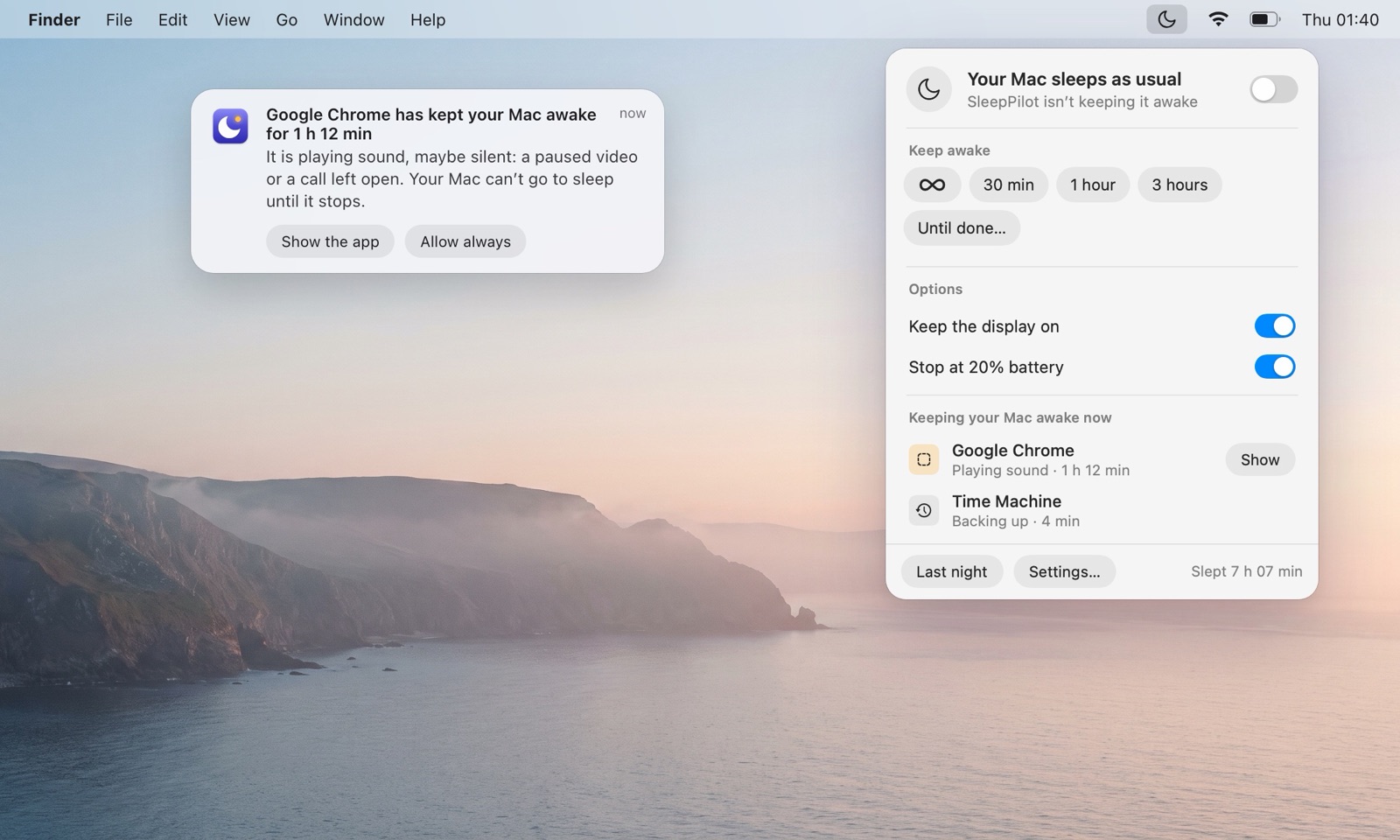
SleepPilot, a menu bar app, lists every app that is keeping your Mac awake right now by name — audio through coreaudiod is shown under the app that plays it — and warns you when one holds the Mac awake for too long while nobody is using it. Each morning it can show what kept the Mac awake overnight.
Questions
Is it safe to quit Google Chrome?
Yes, but closing the one tab is enough.
Is Google Chrome keeping my Mac awake normal?
Fine while you watch or listen. A forgotten tab is a common reason a Mac stays awake.
Does Google Chrome keep the display on?
“Playing audio”: the Mac. “Video Wake Lock” and “Capturing”: the display too.